
Search Mizzen!
Sequence with Intent
Put activities in a deliberate order and group them into weeks, themes, or units.
Mix in Everything
Blend activities, collections, notes, Quality Instructional Practices (QIPs), and external links in one plan.
Share & Print
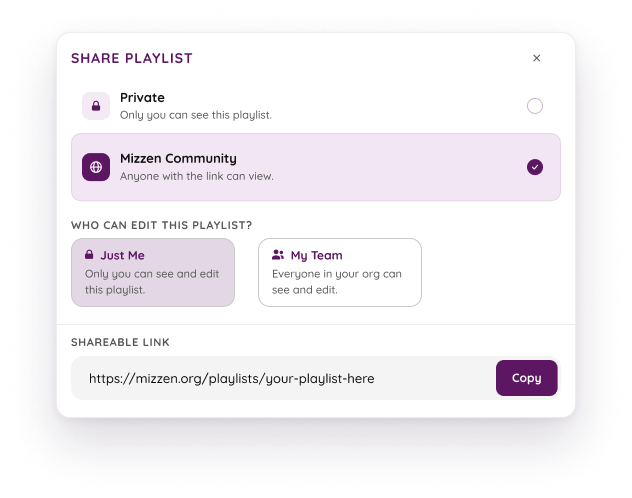
Send a view-only link to a colleague, or print a clean overview for a sub.
Most educators don't start from scratch. They gather activities, add reminders, keep links in another tab, and reorganize everything three times before they're ready. Playlists brings all of that into one place.
CUSTOM SEQUENCES & SECTIONS
Start with a blank Playlist, then drag activities into exactly the sequence your students need. Group them into named sections so the plan reads like a roadmap.

MIXED CONTENT TYPES
Planning usually means pulling resources from several places. A Playlist holds five kinds of customizable content buckets, so your plan carries the full picture.
+ ADD TO PLAYLIST
Activity
One lesson, ready to go engage your students
Collection
A whole bundle, added at once
Note
Reminders & prep for staff
QIP
Quality Instructional Practice
Link
Any external URL — video, doc, site
AT-A-GLANCE TIMING
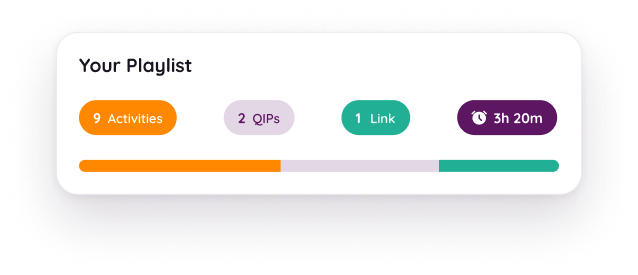
Whether you're planning a 30-minute enrichment block or a full week of programming, Playlists automatically total the estimated time for your activities. You'll always know if your plan fits the time you have available.
SHARE & PRINT
When the plan is ready, send it wherever it needs to go. Share a link with a colleague, or print an overview for the day.
1
Give it a name and a short description. That’s the whole setup — you’re building in seconds.
2
Search the library, drop in activities, collections, notes, QIPs, and external links, then drag them into order.
3
Pass along a link to a colleague, or print a simple overview for the day. Edit anytime — changes sync for everyone.
It’s free, there’s no limit, and your first plan is only a few activities away.
GETTING STARTED
BUILDING A PLAYLIST
SHARING + USING YOUR PLAYLIST
COMMUNITY + DISCOVERY
TECHNICAL QUESTIONS
Don't see your question? Email support@mizzen.org — we're happy to help.



Copyright © 2026, Mizzen Education, Inc. is a 501(c)(3) nonprofit on a mission to empower, uplift and support out-of-school time educators.
Copyright © 2026, Mizzen Education, Inc. is a 501(c)(3) nonprofit on a mission to empower, uplift and support out-of-school time educators.